
The Power of CTA Overlays: How to Drive Traffic Back to Your Site
In the world of content marketing, sharing is caring—but it can also be a "leaky bucket." When you share a great article from TechCrunch or Vogue to your followers, you are providing value, but you are also sending your hard-earned traffic away from your ecosystem.
Once they finish reading that article, they rarely come back to your profile or store. They stay on the external site, clicking their ads and reading their content.
What if you could "hijack" that traffic? With Sees.ovh CTA Overlays, you can. Here is how you can use overlays to turn every link you share into a return ticket to your own website.
What is a CTA Overlay?
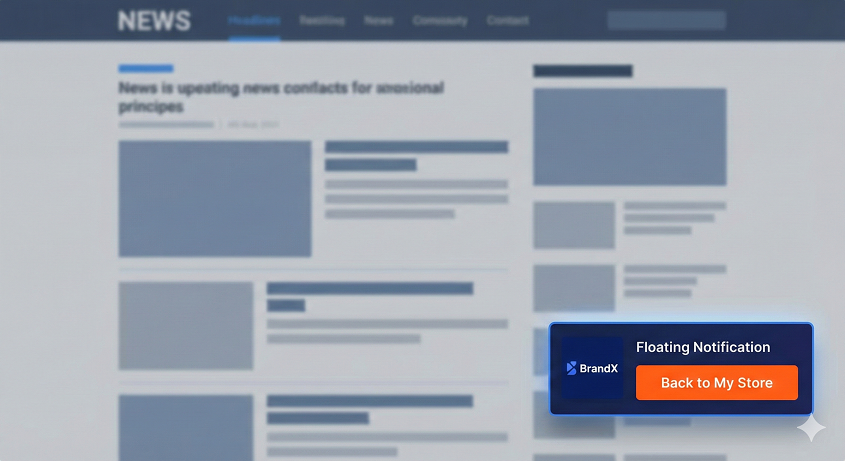
A CTA (Call-to-Action) Overlay is a small, customizable pop-up or banner that appears on top of the destination website you are sharing.
Imagine sharing a viral news story, but at the bottom-left of the screen, there is a professional-looking badge with your face or logo that says: "Enjoyed this? Check out my latest guide on this topic!" with a clickable button.
You provide the content, but you keep the attention.
3 Ways to Use Overlays to Grow Your Business
1. The "Expert Recommendation" (For Curators) If you are a thought leader who shares industry news, use a Message Overlay.
The Goal: Build authority.
The CTA: "I've implemented these 5 tips in my own business. See my results here."
Result: You aren't just a "linker"; you are an expert providing context.
2. The "Discount Surprise" (For E-commerce) If you share a review of a product you sell (or an affiliate product), use a Button Overlay.
The Goal: Immediate sales.
The CTA: "Love this product? Get 10% off when you buy through us!"
Result: You catch the user at the peak of their interest (right after they read the review).
3. The "Lead Magnet" (For Growing Email Lists) Share a helpful "How-to" guide from a major publication and use a Contact Overlay.
The Goal: List building.
The CTA: "Want a PDF checklist for this article? Enter your email."
Result: You generate leads using content you didn't even have to write yourself.
Why Sees.ovh Overlays are Different
Most platforms that offer "Link Snippets" or overlays charge $20-$50 per month for the privilege. At Sees.ovh, we've made this a core feature that is easy to set up:
Non-Intrusive Design: Our overlays are designed to look like native site notifications (like a chat bubble), so they don't annoy the reader.
Full Customization: Change colors, fonts, and positions (top, bottom, left, right) to match your brand perfectly.
Real-Time Analytics: See not just how many people clicked the original link, but how many people clicked your CTA button specifically.
How to Set It Up in 60 Seconds
Log in to your Sees.ovh dashboard.
Go to the CTA Overlay section and click "Create New."
Choose your style (Button, Message, or Contact Form).
Enter your text and your "Return URL" (where you want them to go).
Save it, then simply apply that overlay to any link you shorten.
Conclusion: Don't Share for Free
Every time you post a link on social media, you are spending "attention currency." Don't give that currency away to other websites for nothing in return. Use Sees.ovh CTA Overlays to ensure that every link you share works for YOUR brand.
Start Curating with a Purpose.
[ Create My First CTA Overlay on Sees.ovh ]